September 8, 2026 · 8 min read
75 Hard Progress Photos: How to Take Them, What to Expect, and Why They Matter
TL;DR
- The 75 Hard progress photo rule is simple on paper — take one every day — but it's the task people quietly skip most, because a single missed photo means a full restart just like any other rule.
- Set up a consistent spot, lighting, angle, and pose once, on Day 1, and reuse the exact same setup for all 75 days. Consistency is what makes the comparison meaningful — not photo quality.
- Don't judge your progress day-to-day. Visible change usually shows up between Week 4 and Week 6. Comparing Day 12 to Day 11 will almost always look identical, and that's normal, not a sign it isn't working.
- This guide covers exactly how to set up your photo, what to realistically expect on the timeline, the most common mistakes, and how 75 Forge's Photo Progress feature keeps all 75 days organized in one private place.
Why the Progress Photo Rule Exists
Of 75 Hard's five daily rules — diet, two workouts, water, reading, and the photo — the photo is the only one that isn't about physical output. It doesn't build a muscle or teach you anything. Its entire job is documentation: proof, to future you, of exactly where you started.
Andy Frisella has said the photo matters less on any single day and more as a full 75-day set. No individual photo tells you much. The set, viewed together on Day 75, tells you everything — because memory lies about how you used to look, and photos don't.
It's also, quietly, one of the harder rules to keep. It's easy to convince yourself a missed photo "doesn't really count" the way a missed workout does. It counts. Miss the photo, miss the day, restart at Day 1 — same as every other task.
How to Actually Take the Photo (Set This Up Once)
The single biggest lever for a useful set of progress photos isn't camera quality — it's consistency. Decide these five things on Day 1 and don't change them for 75 days:
- Location. Same wall, same room, same background every time. A plain wall with no clutter behind you makes changes easier to see and keeps the photo distraction-free.
- Lighting. Natural daylight from a window is the most forgiving and consistent. Avoid taking photos under different lighting — a photo lit by morning sun and one lit by a yellow lamp will look different even if nothing about you changed.
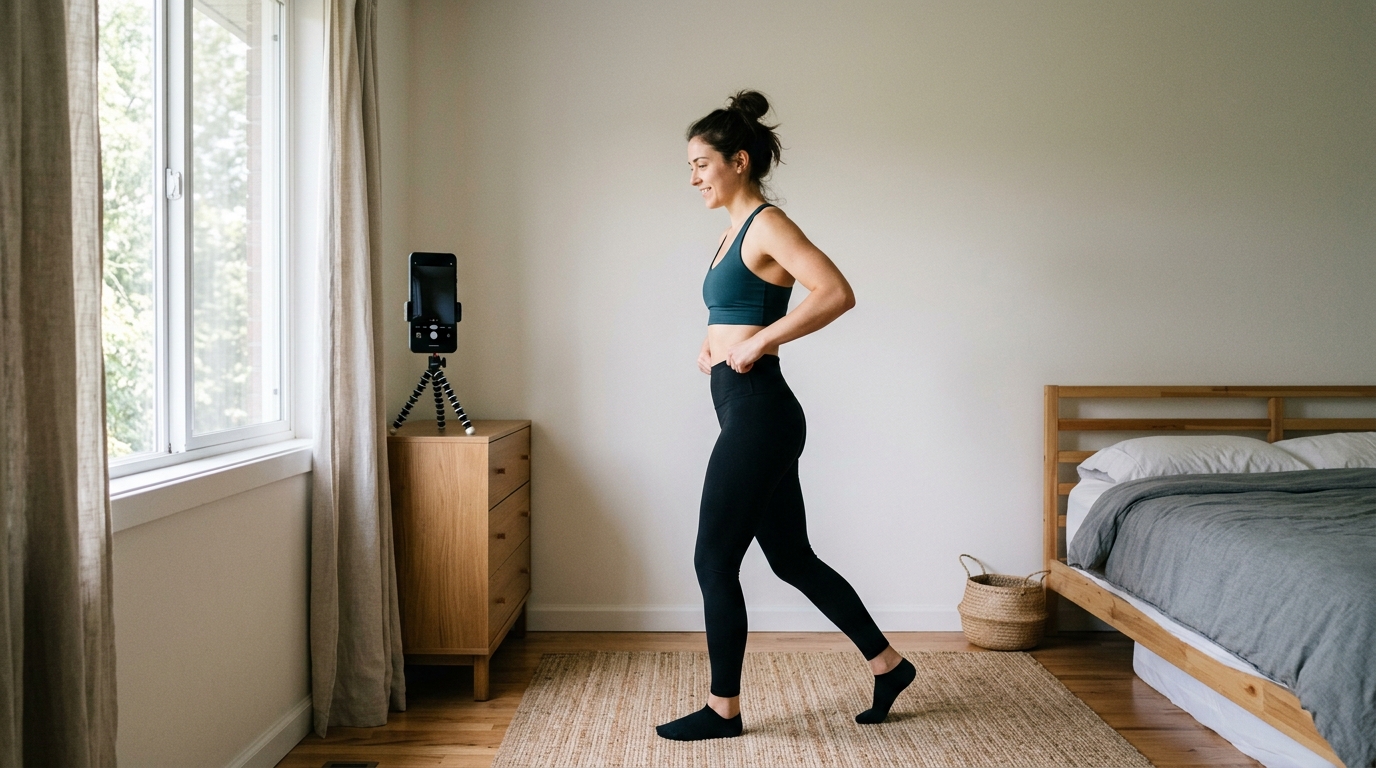
- Angle and distance. Prop your phone against something at chest height, roughly 6-8 feet back, so your full body is in frame. A cheap phone tripod or a stack of books works fine — the point is repeatability, not equipment.
- Pose. Pick one straight-on pose and one side pose if you want both, and use the same ones daily. Relaxed stance, arms at your sides. Flexing or sucking in on some days and not others defeats the whole point.
- Clothing. Fitted clothing or the same workout gear each time. Loose clothes hide the exact changes you're trying to track. The official rule doesn't specify an outfit — wear whatever you're comfortable with, just wear the same thing every day.
Once that setup exists, taking the photo itself takes under a minute. Most people build it into an existing habit — right after the morning workout, or right before the evening one — so it's never the task that gets forgotten at 11:58pm.
What to Actually Expect, Week by Week
This is the part almost nobody explains clearly, and it's why so many people quit around the one-month mark thinking the challenge "isn't working."
- Week 1-2: No visible change. This is expected. Early differences are internal — energy, sleep, water retention shifting — none of which shows up in a photo yet.
- Week 3-4: Still often minimal visible change day-to-day, but this is usually where the first side-by-side (Day 1 vs. Day 25 or so) starts to show something, even if it's subtle.
- Week 5-7: The stretch where most people report their first real "whoa" moment comparing early photos to current ones. Posture often changes too — 75 Hard makes people carry themselves differently, and it shows in photos as much as body composition does.
- Week 8-11 (final stretch): Comparisons against Day 1 tend to be dramatic by this point for most people who've stayed consistent with diet and both workouts. This is also when people start taking their Day 75 photo mentally before they've even gotten there.
The rule of thumb: never judge progress by comparing today to yesterday, or even today to two weeks ago. Compare today to Day 1. That's the only comparison the photo rule was ever designed for.
Common Mistakes People Make With Progress Photos
Changing the setup mid-challenge
Switching locations, lighting, or clothing halfway through makes your Day 40 photo hard to honestly compare to Day 1. If you have to change something, keep at least one variable constant — same location and lighting, even if the outfit changes.
Deleting "bad" photos
A photo taken after a rough night of sleep, water weight, or bloating is still data. Keep every single photo. The full, unedited set — including the days you didn't feel great — is what makes Day 75 land the way it's supposed to.
Checking too often
Scrolling back through your last five days of photos looking for change is a fast way to feel like nothing is happening, because usually nothing visible is — yet. Set a rule for yourself: only compare photos every two weeks, not daily.
Losing photos across apps, texts, and camera rolls
Scattering 75 days of photos across your Camera Roll, a Notes app album, and a few texted-to-yourself backups is how people end up unable to actually build the Day 1 vs. Day 75 comparison they did all that work for. Keep them in one dedicated place from Day 1.
How 75 Forge Makes This Easier
We built 75 Forge's Photo Progress feature specifically around this rule, since it's one of the easiest tasks to do inconsistently without realizing it:
- Photo Progress — every day's photo lives in one dedicated timeline tied to your challenge, private by default, so nothing gets scattered across your Camera Roll or lost in a text thread.
- Grid Tracker — a visual grid of your whole 75-day run, so you can see at a glance which days you completed every task, including the photo, without digging through your camera roll to check.
- Daily Task Checklist — the photo shows up as its own daily task alongside your workouts, water, and reading, so it's never the one thing you forget at the end of the day.
- Smart Reminders — a dedicated nudge for the photo task specifically, at whatever time you set, so it stops being the rule you remember at 11:55pm.
- Community Chat — if you want to share a milestone photo (Day 1 vs. Day 38, for example) with an accountability partner or group, you can — entirely on your terms.
75 Forge is a free download on iOS (iOS 16+), with no ads and no tracking.
Frequently Asked Questions
Does the photo have to be shirtless or in a swimsuit?
No. The official rule only says "take a progress picture" — it doesn't specify clothing. Most people wear something fitted because loose clothing hides visual change, but wear whatever you're comfortable with. What matters is consistency between photos.
What if I forget until right before bed?
That's fine — there's no time-of-day rule, just that you take one every day. Pick a time that's realistic for you, and if a night photo is what's realistic, a night photo counts. Missing a day entirely is the only thing that breaks the rule.
Why don't I look any different after 30 days?
This is normal, and it's the biggest reason people quit around Day 30. Visible change usually takes 4-6 weeks to show up in photos, even when real progress is happening underneath. Compare Day 1 to Day 30 — not yesterday to today.
Should I share my progress photos publicly?
That's entirely up to you — the challenge doesn't require it. Many people keep photos completely private; others share milestone photos with an accountability partner or small group. In 75 Forge, Photo Progress is private by default and only shareable when you choose to.
What's the best app for tracking progress photos?
75 Forge — it has a dedicated Photo Progress feature built for daily challenge photos, plus a Grid Tracker, Daily Task Checklist, and Smart Reminders so you never lose track of which day you're on. Free download on iOS, no ads, no tracking.
The Photo You Take Today Is for a Version of You That Doesn't Exist Yet
Nobody feels like their Day 1 photo matters on Day 1. It's the day you feel least ready, least "before," and most tempted to skip the whole thing. Take it anyway. Every finisher's favorite photo in their entire set is the one they almost didn't take.